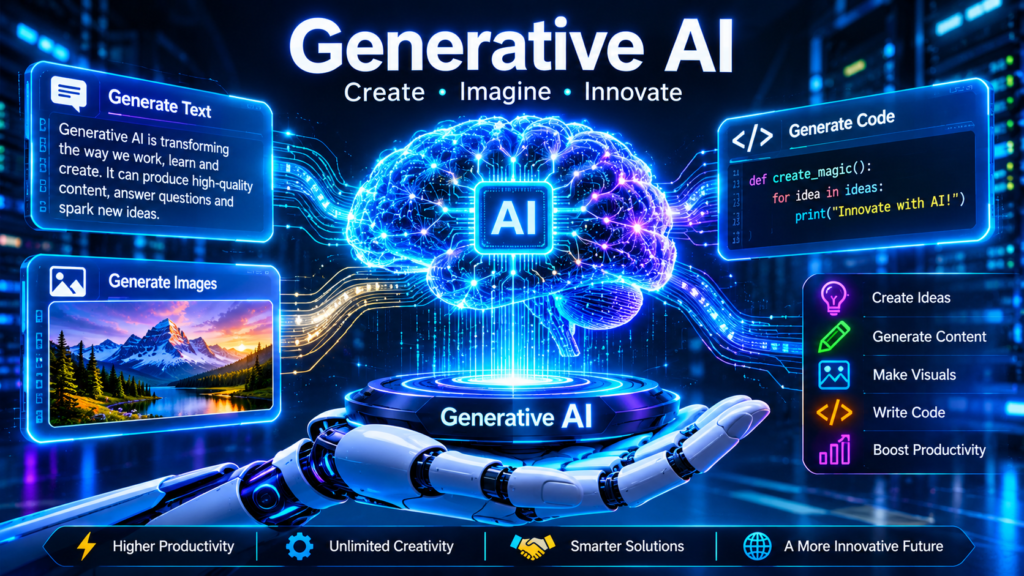
Generative AI is the technology behind tools like ChatGPT, Google Gemini, Claude and Microsoft Copilot — and it is changing how the world writes, codes, designs and learns. Unlike older software that only follows fixed rules, generative AI can create brand-new content: essays, emails, images, music, videos and even computer code, all from a simple text instruction.
In this simple guide, you will learn what generative AI is, how it actually works, the main types, the most popular tools, 10 powerful real-world uses, the risks you should know about and how to start using it safely in 2026.
🤖 Key Takeaways
- Generative AI creates new text, images, audio, video and code by learning patterns from huge amounts of data.
- Most text tools are powered by large language models (LLMs) that predict the next word, or “token”, in a sequence.
- ChatGPT alone passed more than 1 billion weekly users in 2026.
- Businesses use generative AI for writing, coding, customer support, marketing and research.
- Main risks include made-up answers (“hallucinations”), bias, privacy leaks, copyright questions and deepfake scams.
What Is Generative AI?
Generative AI is a type of artificial intelligence that can generate new content in response to a prompt. You type a request — “Write a polite email asking for a meeting” or “Create an image of a city at night” — and the system produces an original result in seconds.
Traditional AI is mostly used to analyse or classify things: spotting spam, recommending videos or detecting fraud. Generative AI goes one step further and creates. It has learned the patterns of language, images and sound so well that it can produce new examples that look and sound like they were made by humans.
The technology has existed in research labs for years, but it exploded into public use after OpenAI launched ChatGPT in November 2022. Since then, almost every major technology company has released its own generative AI tools.
Generative AI by the Numbers (2026)
OpenAI reported that ChatGPT passed more than one billion weekly users in 2026, making it one of the fastest-growing consumer products ever. McKinsey’s State of AI 2026 survey found that 89% of organisations now use AI in at least one business function and about 80% of respondents say it has improved individual productivity — yet only around 37% see a clear impact on company profits so far.
How Does Generative AI Work?
You do not need to be a scientist to understand the basics. Most generative AI systems work in four simple stages:
- Training on huge data: the model studies enormous amounts of text, images, code or audio — books, websites, articles and licensed data — to learn patterns.
- Learning with neural networks: it uses a deep neural network, loosely inspired by the human brain, with billions of adjustable settings called parameters.
- Fine-tuning: developers then train the model further with human feedback so it gives helpful, safe and accurate answers.
- Generating: when you write a prompt, the model uses everything it learned to produce a new response step by step.
Large language models and tokens
Text tools like ChatGPT, Gemini and Claude are powered by large language models (LLMs). They break text into small pieces called tokens (roughly parts of words) and predict which token should come next, again and again, until the answer is complete. Because they learned from so much writing, these predictions produce fluent, natural-sounding text.
Transformers: the key breakthrough
Most modern generative AI models use an architecture called the transformer, introduced by Google researchers in 2017. Transformers can look at all the words in a sentence at once and understand how they relate, which makes them excellent at language, translation and reasoning.
How AI creates images and video
Image generators usually rely on diffusion models. They start with random noise and gradually remove it, step by step, until a clear image that matches your description appears. Video tools use similar ideas across many frames.
All of this requires massive computing power. Training large models uses thousands of specialised chips in cloud data centers — learn more in our NVIDIA company profile and our guide to cloud computing.
A Short History of Generative AI
- 1960s: ELIZA, one of the first chatbots, imitated a therapist using simple pattern-matching rules.
- 2014: researchers introduced generative adversarial networks (GANs), where two neural networks compete to create realistic images.
- 2017: Google researchers published the transformer architecture, the foundation of today’s language models.
- 2018–2020: early GPT models showed that training on huge amounts of text produced surprisingly fluent writing.
- 2022: image generators became popular, and the launch of ChatGPT in November brought conversational AI to the mainstream.
- 2023–2024: tech giants raced to release their own models and built AI assistants into search, office software and phones.
- 2025–2026: multimodal models, reasoning models and AI agents became mainstream, and usage reached more than a billion people every week.
Types of Generative AI
- Text generation: writing articles, emails, summaries, reports and answers to questions.
- Image generation: creating illustrations, product photos, logos and art from text prompts.
- Video generation: producing short video clips and animations from descriptions or images.
- Audio and voice: realistic text-to-speech, voice cloning and music creation.
- Code generation: writing, explaining and fixing software code.
- Multimodal AI: models that understand and create several types at once — for example, reading a photo and answering questions about it.
Popular Generative AI Tools in 2026
| Tool | Company | Best known for |
|---|---|---|
| ChatGPT | OpenAI | General chat, writing, research and images |
| Gemini | Search, Android and Google Workspace integration | |
| Claude | Anthropic | Long documents, writing and coding |
| Microsoft Copilot | Microsoft | Word, Excel, Outlook, Teams and Windows |
| Meta AI | Meta | WhatsApp, Instagram and Facebook |
| GitHub Copilot | Microsoft / GitHub | Coding assistance for developers |
| Midjourney | Midjourney | Artistic image generation |
To understand how Microsoft built Copilot into its products, read our Microsoft company profile.
10 Powerful Uses of Generative AI
- Writing and editing: drafting emails, blog posts, reports and social media captions, then improving grammar and tone.
- Coding: developers use generative AI to write code faster, find bugs and learn new programming languages.
- Customer support: AI chatbots answer common questions 24/7 and hand complex cases to human agents.
- Marketing: creating ad copy, product descriptions, campaign ideas and personalised emails.
- Education: students use AI tutors to explain difficult topics step by step, and teachers use it to prepare lessons.
- Research and summaries: summarising long documents, meeting notes and research papers in seconds.
- Design and creativity: generating images, mock-ups, presentations and video concepts.
- Data analysis: explaining spreadsheets, writing formulas and turning numbers into charts and insights.
- Translation: translating text and conversations between dozens of languages with natural phrasing.
- Personal productivity: planning trips, organising schedules, creating to-do lists and brainstorming ideas.
Benefits of Generative AI
- Saves time: routine tasks that took hours can be done in minutes.
- Boosts creativity: it helps people overcome a blank page and explore new ideas quickly.
- Makes skills accessible: non-experts can write code, design graphics or analyse data with simple instructions.
- Personalisation: content, learning and customer service can be tailored to each person.
- Lower costs for businesses: small teams can do work that once required much larger budgets.
Risks and Limitations of Generative AI
Generative AI is powerful, but it is not perfect. Understanding the risks helps you use it wisely:
- Hallucinations: AI can confidently give wrong facts, fake quotes or made-up sources. Always check important information.
- Bias: models can repeat unfair stereotypes found in their training data.
- Privacy: pasting confidential company data or personal details into public AI tools can expose sensitive information.
- Copyright questions: courts and governments are still deciding how AI training and AI-generated content fit with copyright law.
- Deepfakes and scams: criminals use generative AI to clone voices, create fake videos and write convincing scam messages. Learn how to protect yourself in our guide to phishing attacks.
- Job changes: some tasks are being automated, so workers need to build new skills alongside AI.
- Energy use: training and running large models requires a lot of electricity and water for data centers.
⚠️ Golden rule: Treat generative AI like a very fast, very confident assistant — useful for first drafts and ideas, but always review its work before you rely on it.
Generative AI vs Traditional AI
| Feature | Traditional AI | Generative AI |
|---|---|---|
| Main job | Analyse, predict and classify | Create new content |
| Examples | Spam filters, fraud detection, recommendations | ChatGPT, image generators, code assistants |
| Input | Structured data | Natural language prompts, images, audio |
| Output | A label, score or prediction | Text, images, video, audio or code |
| Who uses it | Mostly built into systems by engineers | Anyone who can type a request |
Practical Examples for Small Businesses
You do not need a big budget or a technical team to benefit. Here is how small businesses commonly use these tools every week:
- A local restaurant writes menu descriptions, replies to online reviews and plans social media posts for the month in under an hour.
- An online shop creates product descriptions for hundreds of items, translates them for customers abroad and drafts answers to common shipping questions.
- A freelance designer generates quick concept images to show clients several directions before spending hours on final artwork.
- An accountant summarises long regulations, drafts client emails and builds spreadsheet formulas faster.
- A real estate agent writes property listings, prepares neighbourhood guides and drafts follow-up messages for buyers.
The common pattern is simple: the AI creates a fast first draft, and the business owner checks, edits and adds the personal touch that customers value.
✍️ Example of a good prompt:
“You are a friendly customer service writer. Write a short, polite reply to a customer whose order arrived two days late. Apologise, explain that delays were caused by high holiday demand, and offer a 10% discount code for their next order. Keep it under 100 words.”
Notice how the prompt explains the role, the situation, the goal, the tone and the length. Clear instructions like these lead to much better results than a one-line request.
The Next Step: AI Agents
The newest trend is agentic AI — generative AI systems that do not just answer questions but complete tasks on their own. An AI agent can research a topic, fill in forms, write and test code or manage a workflow across several apps, checking with a human at key points.
McKinsey’s 2026 survey found that 40% of respondents from large organisations report scaling AI agents, up from 27% a year earlier, with software coding agents among the most common. Over the next few years, AI agents are expected to become a normal part of office work.
How to Use Generative AI Safely and Effectively
- Write clear prompts: explain who the content is for, the goal, the tone and the format you want.
- Give examples: showing a sample of what you like helps the AI match your style.
- Ask follow-up questions: refine the answer step by step instead of expecting perfection the first time.
- Fact-check: verify numbers, names, dates and sources before publishing or making decisions.
- Protect sensitive data: never paste passwords, customer details or confidential documents into public tools; use business versions with privacy controls.
- Add your own expertise: the best results combine AI speed with human knowledge, judgement and experience.
- Follow your organisation’s rules: many companies now have AI usage policies — read them before you start.
Explore more beginner-friendly guides in our AI & Automation section.
Skills You Need for the AI Era
As these tools become part of everyday work, a few skills are becoming especially valuable:
- Prompt writing: knowing how to give clear instructions, context and examples.
- Critical thinking: checking facts, spotting weak arguments and recognising when an answer simply does not make sense.
- Domain knowledge: real expertise in your field lets you judge whether AI output is good enough.
- Data awareness: understanding what information is safe to share and what must stay private.
- Adaptability: new tools and features appear every month, so a willingness to keep learning matters more than any single tool.
The good news is that most of these skills can be learned through regular practice. Start with small, low-risk tasks, compare the results with your own work and gradually use AI for more complex projects as your confidence grows.
Generative AI FAQs
What is generative AI in simple words?
Generative AI is a computer system that can create new text, images, music, video or code after learning patterns from large amounts of existing data. You describe what you want, and it produces it.
Is ChatGPT generative AI?
Yes. ChatGPT is one of the best-known generative AI tools. It uses large language models to generate text and can also create images and understand files.
What is the difference between AI and generative AI?
AI is the broad field of making machines smart. Generative AI is one part of it that focuses on creating new content, while other types of AI focus on predictions, recognition or decisions.
Is generative AI free to use?
Many tools offer free versions with limits, such as ChatGPT, Gemini, Claude and Microsoft Copilot. Paid plans add more powerful models, higher limits and business features.
Can generative AI replace human jobs?
Generative AI can automate certain tasks, especially repetitive writing and data work, but it usually works best alongside humans. People who learn to use AI tools well are likely to have an advantage.
Is content created by generative AI accurate?
Not always. Generative AI can make mistakes or invent facts, so important information should always be checked against reliable sources.
Is it safe to use generative AI at work?
Yes, if you follow your company’s policy, avoid sharing confidential data in public tools and review all outputs before using them. Business versions of popular tools offer stronger privacy and security controls.
Which generative AI tool is best for beginners?
For most beginners, a general assistant such as ChatGPT, Gemini, Claude or Microsoft Copilot is the easiest place to start. Try the free versions, ask the same question in two or three tools and choose the one whose answers and style you prefer for your daily tasks.
Conclusion
Generative AI has moved from research labs into everyday life in just a few years. It can write, design, code and explain at incredible speed, helping individuals and businesses do more with less. At the same time, it can make mistakes, raise privacy and copyright questions and be misused by criminals. The smartest approach is to learn how generative AI works, use it as a helpful assistant and keep human judgement in control.
🚀 Stay ahead: Bookmark TechStormX for simple guides on AI, cloud and cyber security as the technology keeps evolving.
Sources: OpenAI announcements; McKinsey, The State of AI in 2026. This article is for general information only.
