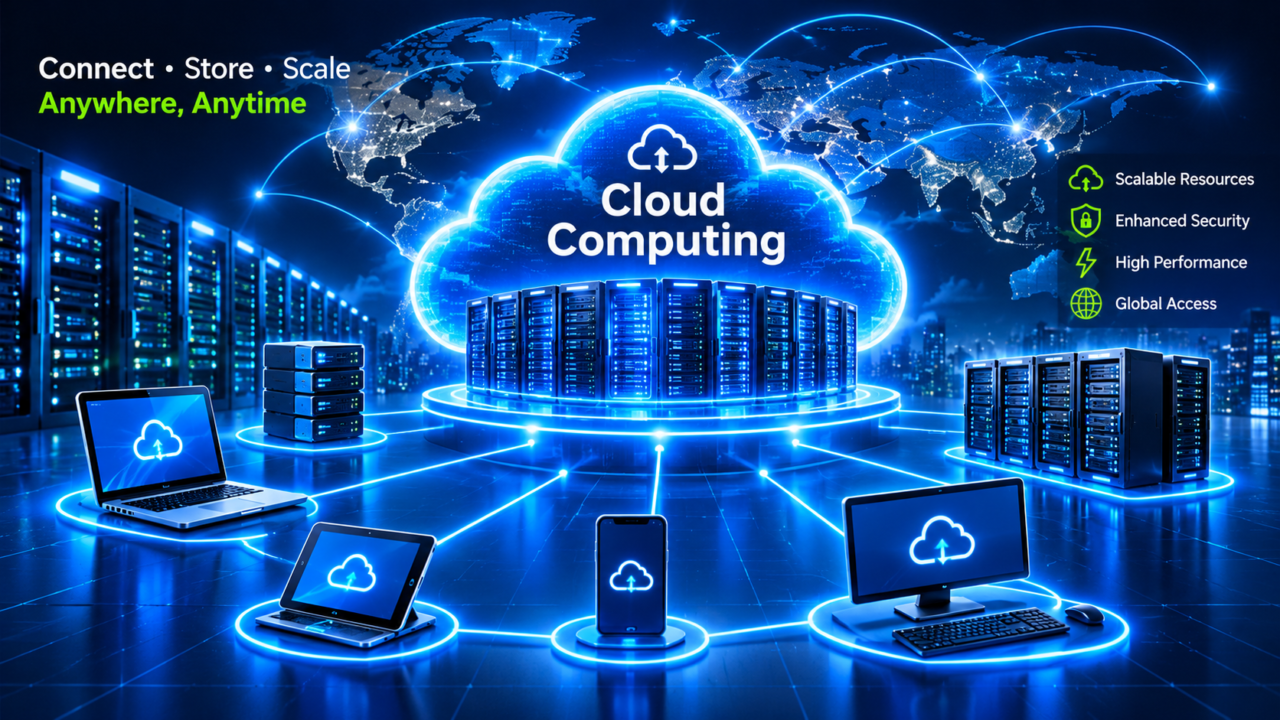
Cloud computing is the invisible engine behind almost everything you do online. Every time you stream a movie, back up photos from your phone, join a video call or chat with an AI assistant, you are using cloud computing. Instead of running software on your own computer or a company’s private server room, the work happens in huge data centers owned by providers such as Amazon, Microsoft and Google.
In this beginner-friendly guide, you will learn what cloud computing is, how it works, the main service and deployment models, the biggest providers, the benefits and risks, and how individuals and small businesses can get started in 2026.
☁️ Key Takeaways
- Cloud computing means renting computing power, storage and software over the internet instead of owning it.
- The three main service models are IaaS, PaaS and SaaS; the main deployment models are public, private, hybrid and multi-cloud.
- Amazon Web Services, Microsoft Azure and Google Cloud are the largest cloud providers.
- Global cloud infrastructure spending reached about $167.7 billion in Q3 2026, up 55% year over year, driven heavily by AI.
- Key benefits are lower upfront costs, easy scaling and speed; key risks are surprise bills, outages and security misconfigurations.
What Is Cloud Computing?
Cloud computing is the on-demand delivery of computing resources — servers, storage, databases, networking, software and AI tools — over the internet, with pay-as-you-go pricing. You use what you need, when you need it, and stop paying when you stop using it.
A simple way to understand cloud computing is to compare it with electricity. Most homes do not build their own power plant; they connect to the grid and pay for what they use. In the same way, businesses no longer need to buy and maintain their own servers. They “plug in” to the cloud and pay for the computing they consume.
The US National Institute of Standards and Technology (NIST) defines cloud computing by five essential characteristics:
- On-demand self-service: you can create servers or storage yourself in minutes, without calling anyone.
- Broad network access: services are available over the internet from laptops, phones and other devices.
- Resource pooling: the provider shares large pools of hardware among many customers.
- Rapid elasticity: resources can grow or shrink quickly to match demand.
- Measured service: usage is tracked, so you pay only for what you use.
How Does Cloud Computing Work?
Behind the scenes, cloud computing runs in massive data centers filled with thousands of servers, storage systems and network equipment. Providers use a technology called virtualization to split each physical server into many “virtual machines”, so one powerful computer can serve many customers safely and efficiently.
When you upload a file to cloud storage or open a web app, your request travels over the internet to the provider’s data center, is processed there, and the result is sent back to your device in milliseconds. Providers run data centers in many regions around the world, so your data can be stored close to you and copied to other locations for safety.
Modern cloud computing also relies on automation. Software decides where to run workloads, adds more servers during traffic spikes and replaces failed hardware automatically — which is why popular apps rarely slow down even when millions of people use them at once.
Cloud Computing by the Numbers (2026)
According to Synergy Research Group, enterprise spending on cloud infrastructure services reached an estimated $167.7 billion in the third quarter of 2026, up 55% from a year earlier, with AI-specific cloud services now making up about a third of the market. Gartner expects public cloud services spending to grow by more than 21% in 2026 and projects the market to reach about $1.48 trillion by 2029.
The 3 Main Types of Cloud Computing Services
Cloud computing services are usually grouped into three models. The difference is how much the provider manages for you.
| Model | What you get | You manage | Examples |
|---|---|---|---|
| IaaS (Infrastructure as a Service) | Virtual servers, storage and networks | Operating system, apps, data | Amazon EC2, Azure Virtual Machines, Google Compute Engine |
| PaaS (Platform as a Service) | A ready platform to build and run apps | Your code and data | Google App Engine, Azure App Service, Heroku |
| SaaS (Software as a Service) | Complete software in your browser | Just your account and data | Gmail, Microsoft 365, Zoom, Salesforce |
🍕 The pizza analogy: IaaS is like renting a kitchen — you bring the ingredients and cook. PaaS is like a take-and-bake pizza — the base is ready, you add toppings. SaaS is like pizza delivery — you just eat.
Many companies also use newer models built on cloud computing, such as serverless computing (you upload code and the provider runs it only when needed) and AI as a Service, where businesses rent ready-made AI models instead of building their own.
Cloud Deployment Models: Public, Private, Hybrid and Multi-Cloud
- Public cloud: services run on shared infrastructure owned by a provider like AWS, Azure or Google Cloud. It is the most common and cost-effective option.
- Private cloud: cloud computing infrastructure used by a single organisation, either in its own data center or hosted by a provider. It offers more control, often for banks, hospitals and governments.
- Hybrid cloud: a mix of public and private cloud, connected so data and apps can move between them.
- Multi-cloud: using services from two or more public cloud providers, for example AWS for storage and Google Cloud for AI, to avoid depending on a single vendor.
Most large organisations today use a hybrid or multi-cloud approach, choosing the best environment for each workload.
The Biggest Cloud Computing Providers
The cloud computing market is led by a few giant technology companies:
- Amazon Web Services (AWS): the market leader, offering hundreds of services from basic storage to advanced AI. AWS revenue grew 39% year over year in Q3 2026.
- Microsoft Azure: the second-largest provider, popular with enterprises that already use Windows, Microsoft 365 and other Microsoft software. Azure grew 48% in the same quarter.
- Google Cloud: known for data analytics, AI and Kubernetes, and currently the fastest-growing of the big three, with revenue up 103% in the September quarter.
- Oracle Cloud: a smaller but fast-growing provider focused on databases and AI infrastructure.
- Others: Alibaba Cloud (strong in Asia), IBM Cloud and specialist AI clouds such as CoreWeave.
Much of this growth is driven by AI. Cloud providers buy enormous numbers of GPUs — many from NVIDIA — and rent them to companies building AI apps. Learn more in our NVIDIA company profile.
7 Powerful Benefits of Cloud Computing
- Lower upfront costs: no need to buy expensive servers. You pay monthly for what you use, turning big capital costs into predictable operating costs.
- Easy scalability: an online shop can handle a Black Friday traffic spike by adding servers in minutes, then scale back down afterwards.
- Speed and agility: developers can launch new apps or test ideas in hours instead of waiting weeks for hardware.
- Global reach: deploy your app in data centers close to users in the US, Europe or Asia for faster performance.
- Reliability and backup: data can be copied across multiple locations, protecting against hardware failure and disasters.
- Strong security tools: major providers invest billions in security and offer encryption, identity management and threat detection.
- Access to innovation: even a small startup can use the same AI, analytics and machine learning tools as the world’s largest companies.
Disadvantages and Risks of Cloud Computing
Cloud computing is powerful, but it is not perfect. Before moving to the cloud, consider these challenges:
- Unexpected costs: pay-as-you-go pricing can lead to surprise bills if resources are left running or usage grows faster than expected.
- Outages: when a major provider has a problem, thousands of websites and apps can go down at the same time.
- Vendor lock-in: moving from one provider to another can be difficult and expensive.
- Security misconfigurations: many cloud data leaks happen because customers accidentally leave storage public or use weak passwords.
- Compliance and data location: laws like GDPR may require certain data to stay in specific countries.
- Internet dependency: without a reliable connection, cloud services cannot be reached.
Cloud Security and the Shared Responsibility Model
Security in cloud computing follows a shared responsibility model. The provider is responsible for securing the cloud itself — the data centers, hardware and core network. The customer is responsible for security in the cloud — their data, user accounts, passwords, access settings and applications.
In practice, this means you should turn on multi-factor authentication, give users only the access they need, encrypt sensitive data, review security settings regularly and train staff to spot scams. Stolen passwords from phishing emails are a common way criminals break into cloud accounts — read our guide on how to spot and stop phishing attacks.
Real-World Examples of Cloud Computing
You probably use cloud computing dozens of times a day without noticing:
- Streaming: Netflix runs much of its streaming platform on AWS, while Spotify uses Google Cloud.
- Email and documents: Gmail, Outlook, Google Docs and Microsoft 365 are all SaaS products.
- Photo backup: iCloud, Google Photos and OneDrive store your memories in the cloud.
- Video calls: Zoom, Microsoft Teams and Google Meet depend on cloud data centers.
- AI assistants: chatbots and image generators run on huge GPU clusters in cloud data centers.
- Online shopping: e-commerce stores scale up automatically during sales and holidays.
Cloud Computing and Artificial Intelligence
AI and cloud computing now grow together. Training and running large AI models requires thousands of powerful chips, which very few companies can afford to own. The cloud lets businesses rent this power by the hour and access ready-made AI models through simple APIs.
This is why AI services have become one of the fastest-growing parts of the cloud market, and why AWS, Microsoft and Google are investing heavily in new data centers. Explore more in our AI & Automation guides.
How to Get Started With Cloud Computing
Whether you are a student, freelancer or small business owner, getting started with cloud computing is easier than ever:
- Start with SaaS: move email, documents and file storage to tools like Google Workspace or Microsoft 365.
- Use cloud backup: automatically back up important files so a lost laptop never means lost data.
- Try a free tier: AWS, Microsoft Azure and Google Cloud all offer free tiers or starter credits for new users to experiment safely.
- Set a budget alert: always create billing alerts so you never get a surprise bill.
- Secure your accounts: enable multi-factor authentication on every cloud account from day one.
- Learn the basics: beginner certifications such as AWS Certified Cloud Practitioner, Microsoft Azure Fundamentals (AZ-900) and Google Cloud Digital Leader are great starting points for a cloud career.
For official beginner material, the AWS introduction to cloud computing is also a helpful free resource.
Cloud vs Traditional On-Premises IT
Before the cloud, companies bought their own servers and kept them in an office server room or data center. Here is how the two approaches compare:
| Feature | On-premises IT | Cloud |
|---|---|---|
| Upfront cost | High — buy servers, cooling and space | Low — pay monthly for usage |
| Setup time | Weeks or months | Minutes |
| Scaling | Buy more hardware in advance | Add or remove resources instantly |
| Maintenance | Your IT team handles everything | Provider manages the hardware |
| Control | Full physical control | Shared, based on the service model |
| Disaster recovery | Expensive second site needed | Built-in backup across regions |
On-premises systems still make sense for some workloads with strict rules or very steady usage, which is why many organisations keep a mix of both.
Common Cloud Terms Every Beginner Should Know
- Region: a geographic area, such as US East or Europe West, where a provider runs data centers.
- Availability zone: a separate data center inside a region, used to keep apps running if one site fails.
- Virtual machine (VM): a software-based computer running on a physical server.
- Container: a lightweight package that holds an app and everything it needs to run, often managed with Kubernetes.
- Object storage: a cheap, scalable way to store files such as images, videos and backups.
- Auto scaling: automatically adding or removing servers based on traffic.
- CDN (content delivery network): servers around the world that deliver images and videos quickly to nearby users.
- Egress fees: charges for moving data out of a provider’s network — an important cost to watch.
Cloud Computing FAQs
What is cloud computing in simple words?
Cloud computing means using computers, storage and software over the internet instead of on your own device. You rent what you need from a provider and pay only for what you use.
What are the 3 types of cloud computing?
The three main service types are IaaS (Infrastructure as a Service), PaaS (Platform as a Service) and SaaS (Software as a Service).
Is cloud computing safe?
Major cloud providers offer very strong security, often better than a small company could build itself. Most problems come from customer mistakes such as weak passwords or wrong settings, so following security best practices is essential.
Which cloud provider is the best?
There is no single best provider. AWS offers the widest range of services, Azure fits companies using Microsoft software, and Google Cloud is strong in data and AI. The right choice depends on your needs, budget and skills.
Is cloud computing a good career?
Yes. Cloud computing skills are in high demand worldwide, and roles such as cloud engineer, cloud architect and cloud security specialist are among the best-paid jobs in IT.
What is the difference between cloud storage and cloud computing?
Cloud storage is just one part of cloud computing. Storage keeps your files online, while cloud computing also includes processing power, databases, networking, software and AI services.
How much does the cloud cost for a small business?
It depends on usage. A small business using email, file storage and a simple website might spend only a few dollars per user each month, while companies running large databases or AI workloads can spend thousands. Starting small, using free tiers and setting budget alerts keeps costs under control.
Can I use the cloud without technical skills?
Yes. SaaS tools such as Google Workspace, Microsoft 365, Dropbox and Canva need no technical knowledge. You only need technical skills when you start building your own apps or servers on IaaS and PaaS platforms.
Conclusion
Cloud computing has changed how the world builds and uses technology. It lets anyone — from a student to a global company — access powerful computing, storage and AI over the internet, paying only for what they use. With benefits like flexibility, speed and global reach, and with AI driving record growth, cloud computing will remain at the center of the digital economy for years to come. The key is to use it wisely: control costs, choose the right model and take security seriously.
📚 Keep learning: Explore more beginner guides in our Cloud Computing section.
Sources: NIST Special Publication 800-145; Synergy Research Group Q3 2026 cloud market data; Gartner public cloud forecasts. This article is for general information only.