Phishing attacks are one of the most common cybercrimes in the world — and one of the easiest to fall for. A single fake email, text message or phone call can give criminals your passwords, your bank details or full access to your company’s systems. The good news? Once you know the warning signs, most phishing attacks are surprisingly easy to spot and stop.
In this simple guide, you will learn what phishing is, how phishing attacks work, the most common types, real warning signs, and 9 proven ways to protect yourself and your business in 2026.
🛡️ Key Takeaways
- Phishing is a scam where criminals pretend to be someone you trust to steal information or money.
- Phishing and spoofing were the most reported internet crime in the FBI’s 2025 report, with 191,561 complaints.
- Modern phishing attacks use email, SMS, phone calls, QR codes, social media and even AI-generated voices.
- Urgency, unusual requests and suspicious links are the biggest warning signs.
- Multi-factor authentication, a password manager and verifying requests through a second channel stop most attacks.
What Is Phishing?
Phishing is a type of cyber attack where a criminal pretends to be a trusted person or organisation — such as your bank, a delivery company, your boss or Microsoft — to trick you into doing something harmful. That “something” is usually clicking a link, opening an attachment, entering your password on a fake website or sending money.
The word “phishing” comes from “fishing”: attackers throw out bait and wait for someone to bite. Unlike hacking that breaks through technical defences, phishing attacks target people. That is why even companies with strong security tools still get breached through a single convincing message.
Phishing Attacks by the Numbers (2026)
The latest data shows how big the problem has become:
According to the FBI’s Internet Crime Complaint Center (IC3), phishing and spoofing were the most reported crime type in 2025, while total reported cybercrime losses rose 26% to about $20.9 billion. Verizon’s 2026 Data Breach Investigations Report found that the human element was involved in 62% of breaches, and that phishing simulations using voice calls and text messages were about 40% more successful than email-based ones.
How Phishing Attacks Work
Most phishing attacks follow the same simple pattern:
- Research: the attacker picks a target — anyone with an email address, or a specific person such as a finance manager.
- Disguise: they copy the logo, writing style and email address of a trusted brand or person, often using a look-alike domain such as “rnicrosoft.com”.
- Bait: they send a message that creates urgency or curiosity — an unpaid invoice, a locked account, a missed delivery or a prize.
- Hook: the victim clicks a link, opens a file, scans a QR code or calls a number.
- Catch: the attacker steals passwords, installs malware, takes over accounts or receives a payment.
Because phishing attacks rely on emotions like fear, urgency and trust, slowing down for just a few seconds is often enough to break the pattern.
10 Common Types of Phishing Attacks
Phishing attacks are no longer limited to email. Here are the types you are most likely to see:
1. Email phishing
The classic version: mass emails pretending to come from banks, streaming services, delivery firms or software companies, asking you to “verify your account” on a fake website.
2. Spear phishing
Targeted phishing attacks aimed at one person or a small group. The attacker uses real details — your name, job title, colleagues or recent projects — to make the message believable.
3. Whaling
Spear phishing aimed at senior executives such as CEOs and CFOs, who have the authority to approve large payments or access sensitive data.
4. Business email compromise (BEC)
Criminals impersonate a boss, supplier or lawyer and ask staff to pay an invoice or change bank details. BEC caused about $3 billion in reported losses in the FBI’s 2025 report.
5. Smishing (SMS phishing)
Phishing attacks sent by text message, such as fake parcel delivery notices, toll payment demands or bank fraud alerts with a link.
6. Vishing (voice phishing)
Phone calls from people pretending to be your bank, the tax office, tech support or the police, pressuring you to share codes or move money.
7. Quishing (QR code phishing)
Fake QR codes on emails, parking meters or posters that open a fraudulent website when scanned. They are dangerous because you cannot easily see the link before opening it.
8. Clone phishing
The attacker copies a real email you received earlier, replaces the link or attachment with a malicious one and sends it again, often claiming it is an “updated version”.
9. Social media phishing
Fake customer support accounts, giveaway scams and direct messages on platforms like Instagram, Facebook, X and LinkedIn that lead to fake login pages.
10. AI and deepfake phishing
Criminals now use AI to write perfect emails in any language and to clone voices or create video deepfakes of real people. For the first time, the FBI’s 2025 report included AI-related complaints, which accounted for more than 22,000 complaints and nearly $893 million in losses.
⚠️ Remember: Banks, governments and tech companies will never ask you to share a one-time code, your full password or your PIN by email, text or phone.
How to Spot Phishing Attacks: 9 Warning Signs
You do not need to be a security expert to recognise phishing attacks. Watch for these red flags:
- Urgency or threats: “Your account will be closed in 24 hours” or “Pay now to avoid legal action”.
- Unexpected requests: a password reset you did not ask for, or a payment request outside normal processes.
- Strange sender addresses: look-alike domains, misspellings or free email accounts pretending to be a company.
- Suspicious links: hover over a link (or long-press on mobile) to see the real address before clicking.
- Unusual attachments: files ending in .zip, .html, .iso, or Office files asking you to “enable content”.
- Generic greetings: “Dear customer” instead of your name, although targeted phishing attacks may use your real name.
- Requests for secrecy: “Don’t tell anyone, this is confidential” — a classic BEC trick.
- Too-good-to-be-true offers: prizes, refunds or investment returns you never expected.
- Payment by unusual methods: gift cards, cryptocurrency or wire transfers to new accounts.
Real-World Examples of Phishing Attacks
Here are typical scenarios that security teams see every day:
- The fake delivery text: “Your parcel could not be delivered. Pay a $1.99 redelivery fee here.” The link steals your card details.
- The Microsoft 365 login page: an email says a document has been shared with you. The “Sign in to view” page is fake and captures your work password.
- The CEO gift card request: a message “from the CEO” asks an employee to quickly buy gift cards for clients and send the codes.
- The bank security call: a caller says fraud was detected and asks you to read out the code your bank just texted you — which actually lets them log in.
- The supplier bank change: an email from a “supplier” says their bank account has changed and asks you to pay the next invoice to the new account.
All of these phishing attacks share the same trick: they push you to act quickly before you have time to think.
9 Proven Ways to Stop Phishing Attacks
These simple habits protect you against the vast majority of phishing attacks:
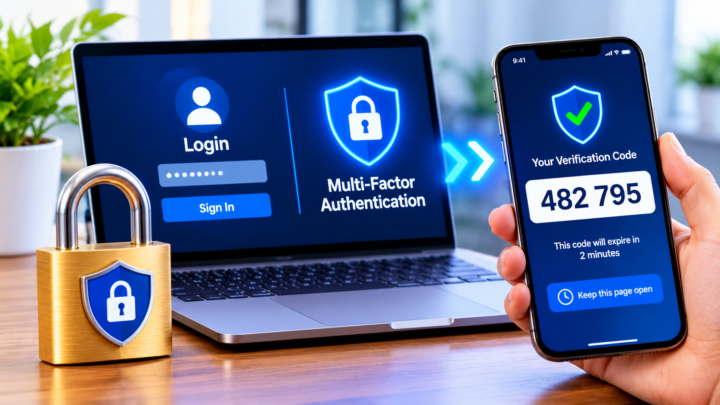
- Turn on multi-factor authentication (MFA): even if a criminal steals your password, they cannot log in without the second factor. Use passkeys or an authenticator app instead of SMS where possible.
- Use a password manager: it only fills in passwords on the real website, so it will not autofill on a fake login page — a built-in phishing alarm.
- Verify through a second channel: if a request involves money or passwords, call the person or company using a number you already know, not the one in the message.
- Type addresses yourself: instead of clicking a link, open the official app or type the website address into your browser.
- Keep software updated: updates fix security holes that phishing malware tries to exploit.
- Check before you scan: be careful with QR codes from unknown sources and check the website address after scanning.
- Limit what you share online: attackers use public details from social media to make spear phishing attacks more convincing.
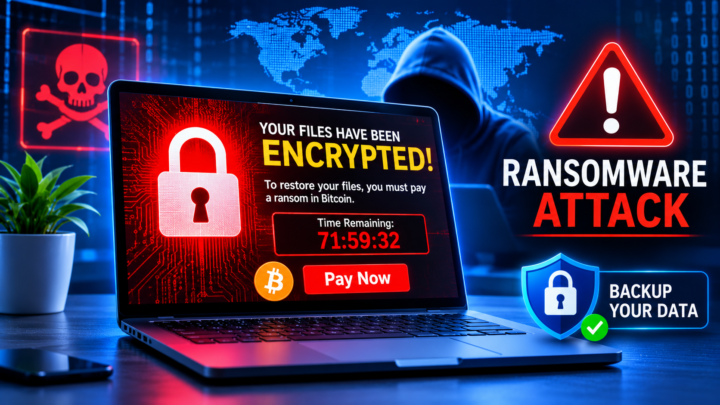
- Back up important files: regular backups protect you if a phishing email delivers ransomware.
- Report suspicious messages: use the “Report phishing” button in your email app and tell your IT team. Reporting protects others too.
For more practical security guides, explore our Cyber Security section.
How Businesses Can Prevent Phishing Attacks
Companies are prime targets because one successful click can expose the whole organisation. A strong anti-phishing programme combines technology, processes and people:
- Email authentication: set up SPF, DKIM and DMARC so criminals cannot easily send emails pretending to be your domain.
- Advanced email filtering: use security tools that scan links and attachments and flag look-alike domains.
- Phishing-resistant MFA: use FIDO2 security keys or passkeys for administrators and finance staff.
- Security awareness training: run short, regular training and realistic phishing simulations — including SMS and voice scenarios, not just email.
- Payment verification rules: require a phone call to a known number before changing supplier bank details or approving urgent transfers.
- Least privilege access: give employees only the access they need, so a stolen account causes less damage.
- Incident response plan: make it easy and blame-free for staff to report a click quickly, so IT can reset accounts before damage spreads.
Phishing often leads to data leaks, so it is closely linked to privacy compliance. Learn more in our Data Privacy guides.
What to Do If You Clicked on a Phishing Link
Mistakes happen — even security professionals fall for phishing attacks. What matters is acting fast:
- Disconnect: if you downloaded a file, disconnect your device from the internet.
- Change your passwords: start with the account you entered on the fake page, then any account that uses the same password.
- Turn on MFA for important accounts if it is not already enabled.
- Call your bank immediately if you shared card or banking details, and watch your statements.
- Tell your IT team right away if it was a work device or account.
- Scan your device with trusted security software.
- Report it: in the US, report to the FBI’s IC3 and the FTC; in the UK, forward suspicious emails to report@phishing.gov.uk. In both countries you can forward scam texts to 7726.
Phishing vs Other Common Cyber Threats
Phishing is often the first step in a bigger attack. This table shows how it connects to other threats you may hear about:
| Threat | What it is | How phishing is involved |
|---|---|---|
| Ransomware | Malware that locks files and demands payment | Often delivered through a phishing email attachment or link |
| Account takeover | Criminals log in to your accounts | Passwords are usually stolen on fake login pages |
| Data breach | Sensitive data is exposed or stolen | One compromised employee account can open the door |
| Identity theft | Someone uses your personal details | Phishing collects names, addresses and ID numbers |
| Malware | Harmful software on your device | Hidden in documents, fake updates or downloads |
This is why security experts say that stopping phishing early prevents many other problems later.
How to Protect Your Family and Older Relatives
Older adults are among the most targeted groups. The FBI reported that people over 60 filed the most complaints of any age group in 2025. A short family conversation can make a huge difference:
- Agree on a family code word to confirm emergency calls, so a cloned voice asking for money can be tested.
- Explain the golden rule: no real bank, government office or tech company will ask for codes, PINs or gift cards.
- Set up MFA and a password manager on their most important accounts together.
- Encourage them to call you before acting on any urgent message about money, prizes or account problems.
- Turn on spam filtering for calls and text messages on their phones.
Teaching children and teenagers the same habits early also helps them stay safe on games, social media and messaging apps.
Phishing Attacks and Artificial Intelligence
AI has made phishing attacks more convincing than ever. Spelling mistakes used to be an easy giveaway; today, AI tools write fluent, personalised messages in seconds. Voice cloning lets criminals sound like a family member or a CEO, and deepfake video calls have been used to trick employees into approving large transfers.
The defence is the same, but stricter: never trust a request just because it looks or sounds real. Verify money and password requests through a separate, trusted channel every time. Our AI & Automation guides explain more about how these tools work.
Phishing Attacks FAQs
What is the most common type of phishing attack?
Email phishing is still the most common, but smishing (text messages) and vishing (phone calls) are growing quickly because people tend to trust their phones more than their inbox.
Can you get hacked just by opening a phishing email?
Simply opening an email is usually safe on an updated device. The danger comes from clicking links, downloading attachments, scanning QR codes or replying with information.
How can I check if a link is safe?
Hover over the link to see the real address, check the domain carefully, and when in doubt, type the official website address yourself instead of clicking.
Does multi-factor authentication stop phishing attacks?
MFA blocks most password-stealing phishing attacks. Phishing-resistant methods such as passkeys and security keys offer the strongest protection.
Who should I report phishing to?
Report it to the company being impersonated, your email provider’s “report phishing” button, your IT team at work, and your national reporting service such as the FBI’s IC3 in the US or the NCSC in the UK.
Are phishing attacks illegal?
Yes. Phishing is a crime in almost every country, usually covered by fraud, identity theft and computer misuse laws. Criminals can face heavy fines and prison sentences, which is why reporting phishing attacks to the authorities is so important.
Why do phishing emails still work in 2026?
They work because they are cheap to send, easy to personalise with AI and they target human emotions. Attackers only need one person out of thousands to click, so even a tiny success rate can be profitable for them.
Conclusion
Phishing attacks work because they target human emotions, not computers. Criminals use urgency, fear and trust to make people click before they think. By learning the warning signs, turning on multi-factor authentication, using a password manager and always verifying unusual requests, you can stop the vast majority of phishing attacks before they cause any harm.
🔐 Stay one step ahead: Share this guide with family, friends and colleagues — one conversation can stop the next phishing scam.
Sources: FBI Internet Crime Complaint Center 2025 Internet Crime Report; Verizon 2026 Data Breach Investigations Report. This article is for general information and does not replace professional security advice.