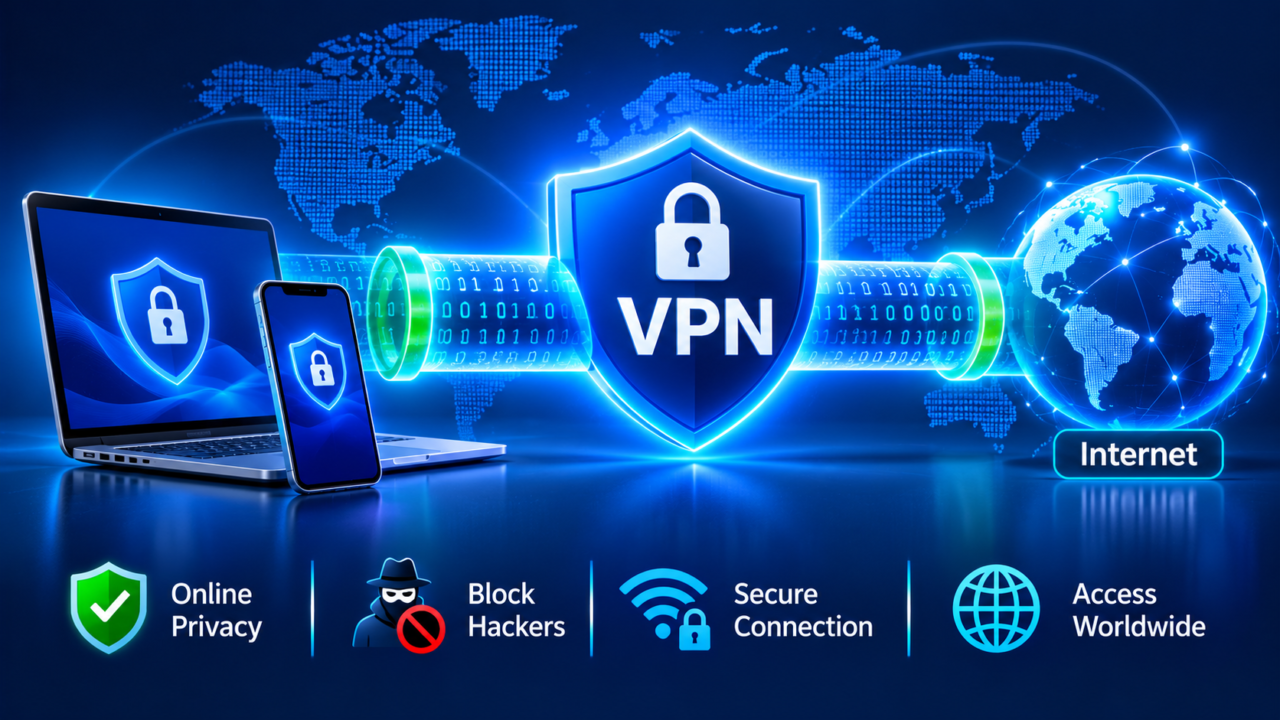
A VPN service is one of the most popular privacy tools on the internet — but also one of the most misunderstood. Some people think a VPN makes them completely anonymous; others think it is only for gamers or people trying to watch shows from another country. The truth is somewhere in between.
In this simple guide, you will learn what a VPN is, how it works, what a VPN service can and cannot do, when you really need one, the risks of free VPNs, how to choose a trustworthy provider and the legal rules you should know in 2026.
🌐 Key Takeaways
- A VPN (virtual private network) creates an encrypted tunnel between your device and the internet and hides your real IP address.
- It is most useful on public Wi-Fi, for privacy from your internet provider and for safe remote work.
- A VPN service does not make you fully anonymous and does not protect you from phishing or malware on its own.
- Free VPNs often make money from your data or show ads; trustworthy paid providers usually offer better privacy and speed.
- VPNs are legal in most countries, but some governments restrict or ban them.
What Is a VPN?
A VPN, or virtual private network, is a service that creates a secure, encrypted connection between your device and a server run by the VPN company. Instead of your internet traffic going directly to the websites you visit, it first travels through this protected “tunnel” to the VPN server, and only then out to the internet.
As a result, websites see the VPN server’s IP address instead of your real one, and anyone watching your local network — such as a stranger on the same café Wi-Fi or your internet service provider — sees only scrambled, encrypted data.
VPNs were originally created for businesses, so employees could securely connect to their company network from home or while travelling. Today, consumer VPN service providers offer apps for phones, laptops, tablets, smart TVs and even home routers.
How Does a VPN Service Work?
Here is what happens, step by step, when you turn on a VPN service:
- You connect: you open the VPN app and choose a server location, for example the United States, the UK or Germany.
- A secure tunnel is created: your device and the VPN server agree on encryption keys using a VPN protocol.
- Your traffic is encrypted: everything you send — websites, app data, messages — is scrambled before it leaves your device.
- The VPN server forwards it: the server decrypts your traffic and sends it to the website or app on your behalf.
- Replies come back the same way: responses return to the VPN server, are encrypted again and travel back to you.
💡 Simple analogy: Using the internet without a VPN is like sending postcards — anyone handling them can read the message. A VPN puts each postcard inside a locked envelope and sends it through a private courier, so outsiders cannot read it or easily see where it came from.
VPN protocols
A protocol is the set of rules a VPN uses to create the tunnel. The most common are:
- WireGuard: modern, fast and lightweight; now the default for many providers.
- OpenVPN: older, very well tested and highly configurable.
- IKEv2/IPsec: stable on mobile devices and quick to reconnect when you switch networks.
- Custom protocols: some providers build their own on top of WireGuard for extra speed or privacy features.
What Can a VPN Service Do?
- Protect you on public Wi-Fi: airports, hotels and cafés often have weak security. A VPN encrypts your traffic so attackers on the same network cannot easily spy on it.
- Hide your IP address: websites see the VPN server’s address, which makes it harder to track your location and link your activity across sites.
- Add privacy from your internet provider: your provider can see that you are connected to a VPN, but not which websites you visit inside the tunnel.
- Secure remote work: businesses use VPNs to let staff access internal systems safely.
- Help when travelling: a VPN service can let you securely access your home banking and services while abroad, where some sites may block foreign connections.
- Reduce some throttling: it can prevent internet providers from slowing down specific services based on what you are doing.
What a VPN Service Cannot Do
Many VPN adverts promise more than any VPN service can deliver. A VPN does not:
- Make you completely anonymous: logging into Google, Facebook or any account still identifies you, and browser fingerprinting and cookies can track you.
- Stop phishing: if you enter your password on a fake website, a VPN cannot save you. Learn the warning signs in our guide to phishing attacks.
- Replace antivirus software: it does not remove malware or stop you from downloading infected files.
- Hide everything from the VPN company: the provider itself can technically see your traffic, so choosing a trustworthy company is essential.
- Make illegal activity legal: breaking the law or a website’s terms with a VPN is still breaking the law or the terms.
Do You Really Need a VPN Service?
It depends on how you use the internet. Here is a simple guide:
| Situation | Do you need a VPN? |
|---|---|
| You often use public Wi-Fi in cafés, hotels or airports | Yes — strongly recommended |
| You work remotely and access company systems | Yes — usually provided by your employer |
| You want more privacy from your internet provider | Yes, helpful |
| You travel abroad and need secure access to home services | Yes, helpful |
| You only browse at home on secure Wi-Fi and HTTPS websites | Optional — nice to have, not essential |
| You want complete anonymity | A VPN alone is not enough |
Most important websites already use HTTPS encryption, which protects the content of your connection. A VPN service adds an extra layer by hiding which sites you visit from your local network and provider, and by masking your IP address.
VPNs in 2026: Why Usage Keeps Growing
VPN use has grown sharply as new online rules spread. When the UK started enforcing age-verification checks under its Online Safety Act in July 2025, Proton VPN reported that sign-ups from the UK jumped by around 1,400% above normal. Similar spikes have followed new age-verification laws in several US states and short-term app bans.
Governments are now debating how to respond. Some lawmakers and regulators have suggested tighter rules for VPNs, while privacy groups and VPN companies argue that VPNs are essential security tools for millions of people. Expect this debate to continue — we cover new rules in our Tech Regulations section.
Free VPN vs Paid VPN Service
| Feature | Free VPN | Paid VPN service |
|---|---|---|
| Cost | Free | Usually a few dollars per month on yearly plans |
| How it makes money | Often ads, data collection or upselling | Subscriptions |
| Privacy | Varies; some log and sell data | Reputable providers offer audited no-logs policies |
| Speed and servers | Limited servers, slower speeds, data caps | Many locations and faster connections |
| Security features | Basic | Kill switch, leak protection, modern protocols |
Running a VPN network is expensive, so a completely free VPN service has to make money somehow. Some free apps have been found to contain malware or to sell browsing data — the opposite of what users want. If you need a free option, choose one from a well-known, transparent company that offers a limited free plan funded by paying customers.
How to Choose a Trustworthy VPN Service
- Independent no-logs audit: look for providers whose “no-logs” claims have been checked by independent security firms.
- Strong encryption and modern protocols: WireGuard or OpenVPN with AES-256 or ChaCha20 encryption.
- Kill switch: automatically blocks internet traffic if the VPN connection drops, so your real IP is not exposed.
- DNS and IP leak protection: ensures your requests do not slip outside the tunnel.
- Transparent ownership and location: know who owns the company and which country’s laws apply to it.
- Good speeds and server locations: especially near where you live and travel.
- Apps for all your devices: Windows, macOS, Android, iPhone, browsers and routers.
- Clear pricing and refund policy: avoid hidden auto-renewals and check the money-back guarantee.
- Helpful support: 24/7 live chat can make a big difference when something goes wrong.
For a neutral, non-commercial checklist, see the Electronic Frontier Foundation’s guide to choosing the VPN that’s right for you.
How to Set Up a VPN
- Choose a reputable VPN service and create an account.
- Download the official app from the provider’s website or your device’s app store.
- Log in and turn on key settings such as the kill switch and auto-connect on untrusted Wi-Fi.
- Select a server — usually the nearest one for the best speed.
- Connect and check that your IP address has changed using an IP lookup website.
Remember to keep the app updated, just like your browser and operating system.
Are VPNs Legal?
In most countries, including the United States, the United Kingdom, Canada, Australia and the European Union, using a VPN is completely legal. However, some countries restrict or ban VPNs or allow only government-approved services. Examples include China, Russia, Iran and North Korea, while countries such as the UAE and Turkey place limits on how VPNs can be used. Some other countries require VPN services or business users to register with authorities.
Laws change often, so always check the current rules where you live or travel. And remember: even where VPNs are legal, using one to commit fraud, piracy or other crimes is still illegal.
VPN vs Proxy vs Tor
| Tool | Encryption | Speed | Best for |
|---|---|---|---|
| VPN | Encrypts all device traffic | Fast | Everyday privacy and public Wi-Fi security |
| Proxy | Usually no encryption | Fast | Simple IP changes for one app or browser |
| Tor | Multiple layers through volunteer relays | Slow | Strong anonymity for sensitive situations |
VPNs for Businesses
Businesses have used VPNs for decades to connect offices and remote workers. Today, many companies are moving to newer approaches such as Zero Trust Network Access (ZTNA), which checks every user and device before granting access to each application, instead of trusting anyone who is “inside” the network. Cloud-based security services increasingly combine VPN-style protection with these Zero Trust principles. Learn more about the cloud side in our guide to cloud computing.
VPNs and Privacy Laws
Data protection laws such as the GDPR give people rights over their personal information, including IP addresses. A trustworthy VPN service should explain clearly what data it collects, how long it keeps it and where it is stored. Read more about privacy rights in our guide to GDPR compliance.
Using a VPN on Different Devices
- Windows and Mac: install the official app, enable the kill switch and set it to start automatically when your computer turns on.
- Android and iPhone: use the official mobile app and turn on “auto-connect on untrusted Wi-Fi” so you are protected without thinking about it.
- Browsers: browser extensions are convenient, but they usually protect only browser traffic, not other apps on your device.
- Smart TVs and streaming boxes: many providers offer apps for popular TV platforms, or you can protect them through a VPN-enabled router.
- Routers: installing a VPN on your home router protects every connected device at once, including gaming consoles and smart home gadgets.
Most good providers allow several devices on one subscription, so a single VPN service can protect your whole family.
How to Check If Your VPN Is Working
- Check your IP address: visit an IP lookup website before and after connecting. The location shown should change to your VPN server’s country.
- Run a DNS leak test: free online tools show whether your DNS requests are going through the VPN or leaking to your internet provider.
- Test the kill switch: disconnect your Wi-Fi briefly while the VPN is on and make sure nothing loads until the VPN reconnects.
- Check WebRTC leaks: some browsers can reveal your real IP address through WebRTC; good VPN apps and extensions block this.
If any test fails, update the app, change the protocol in settings or contact your provider’s support team.
Common VPN Mistakes to Avoid
- Downloading unknown free VPN apps with poor reviews or unclear owners
- Believing a VPN makes you invisible while staying logged into personal accounts
- Turning off the kill switch to save battery or speed
- Forgetting to use the VPN on public Wi-Fi — set auto-connect instead
- Ignoring app updates that fix security problems
- Using a VPN to break laws or the terms of services you have signed up for
What Is a VPN Service FAQ
What does a VPN service do in simple words?
A VPN service encrypts your internet connection and sends it through a secure server, hiding your real IP address and protecting your data from people on the same network or your internet provider.
Does a VPN slow down my internet?
A little, because your data travels through an extra server and is encrypted. With a good provider and a nearby server, most people barely notice the difference.
Is it safe to use a free VPN?
Some are, many are not. Free VPNs may limit speed and data, show ads or collect your information. If you use a free plan, choose one from a reputable company with a clear privacy policy.
Can I be tracked when using a VPN?
Yes, in some ways. Websites can still track you through cookies, logged-in accounts and browser fingerprinting. A VPN reduces tracking based on your IP address but does not stop all tracking.
Should I keep my VPN on all the time?
For maximum privacy, you can keep it on, especially on mobile devices that often switch networks. At minimum, always use it on public or untrusted Wi-Fi.
Do I need a VPN on my phone?
If you use public Wi-Fi, travel often or want extra privacy, a VPN on your phone is a smart choice, because phones connect to many different networks every day.
Is a VPN service legal in my country?
VPNs are legal in most countries, but some ban or restrict them. Always check your local laws before using a VPN, especially when travelling.
How much does a good VPN service cost?
Most reputable providers cost roughly the price of a coffee or two per month when you choose a one- or two-year plan. Monthly plans are more expensive but give you flexibility while you test the service.
Conclusion
A VPN service is a simple, affordable way to add privacy and security to your online life — especially on public Wi-Fi, when travelling or when working remotely. It encrypts your traffic and hides your IP address, but it is not a magic invisibility cloak. Combine a trustworthy VPN with strong passwords, multi-factor authentication, updated software and careful clicking, and you will be far safer online than most internet users.
🌍 Keep exploring: Discover how the internet is changing in our Internet Trends section.
This article is for general information only. VPN laws differ by country — always follow local laws and the terms of the services you use.