Multi-factor authentication (MFA) is one of the simplest and most powerful ways to protect your online accounts. Instead of relying on a password alone, it asks for a second proof of identity — such as a code on your phone, a fingerprint or a security key — before letting anyone sign in. Even if a hacker steals your password, they still cannot get in without that extra factor.
Passwords are leaked, guessed and phished every day. That is why banks, email providers, cloud services and governments now strongly recommend or require extra verification. This guide explains what MFA is, how it works, the different types, which methods are strongest, how attackers try to bypass it and how to set it up for yourself and your business in 2026.
🔑 Key Takeaways
- MFA requires two or more different types of proof: something you know, something you have or something you are.
- Microsoft research found MFA reduces the risk of account compromise by more than 99%.
- Passkeys and hardware security keys are the strongest, phishing-resistant options.
- SMS codes are better than nothing but can be intercepted or phished.
- Turn it on first for email, banking, cloud storage, social media and admin accounts.
What Is Multi-Factor Authentication?
Multi-factor authentication is a security method that requires users to prove their identity using at least two different categories of evidence, called factors. The idea is simple: a criminal may steal one factor, but stealing two different types at the same time is much harder.
The three main categories are:
- Something you know: a password, PIN or answer to a security question.
- Something you have: a smartphone, authenticator app, smart card or hardware security key.
- Something you are: a biometric such as a fingerprint, face scan or voice.
Some systems also consider context — such as your location, device or time of login — to decide whether to ask for extra verification. This is called adaptive or risk-based authentication.
Multi-Factor Authentication vs Two-Factor Authentication
You will often hear the terms MFA and two-factor authentication (2FA) used together. Two-factor authentication is simply a type of MFA that uses exactly two factors, such as a password plus a code. Multi-factor authentication is the broader term and can include two or more factors.
Note that two passwords, or a password plus a security question, do not count as true MFA — both are “something you know”. Real protection comes from combining different categories.
Why Multi-Factor Authentication Matters
A Microsoft research study found that MFA reduced the risk of compromise by 99.22% across users, and by 98.56% even when a password had already leaked. Microsoft also reports seeing around 600 million identity attacks every day, most of them password-based.
Verizon’s 2026 Data Breach Investigations Report found that stolen credentials were involved somewhere in the attack chain in about 39% of breaches. Criminals buy passwords from data leaks, steal them with infostealer malware or trick people into typing them on fake websites. Multi-factor authentication stops most of these attacks because the stolen password alone is not enough.
How Multi-Factor Authentication Works
The process usually looks like this:
- You enter your username and password as normal.
- The service checks the password and then asks for a second factor.
- You approve a prompt on your phone, enter a code, touch a security key or scan your fingerprint.
- Only when both checks succeed are you signed in.
With multi-factor authentication, many services let you “remember” a trusted device so you are not asked every time. If someone tries to log in from a new device or location, the service asks for the extra factor again.
Types of Multi-Factor Authentication (Weakest to Strongest)
| Method | How it works | Security level |
|---|---|---|
| SMS codes | A one-time code is sent by text message | Basic — vulnerable to SIM swaps and phishing |
| Email codes | A code or link is sent to your email | Basic — only as safe as your email account |
| Authenticator app codes (TOTP) | Apps like Google Authenticator or Microsoft Authenticator generate a new code every 30 seconds | Good — but codes can still be phished |
| Push notifications | Approve or deny a sign-in prompt on your phone | Good — stronger with number matching |
| Biometrics | Fingerprint or face scan on your device | Strong when tied to the device |
| Passkeys | Cryptographic keys stored on your device, unlocked with fingerprint, face or PIN | Very strong — phishing-resistant |
| Hardware security keys | Physical USB or NFC keys (FIDO2) you touch to sign in | Strongest — phishing-resistant |
💡 Did you know? The US cybersecurity agency CISA describes FIDO/WebAuthn-based authentication — the technology behind passkeys and security keys — as the only widely available phishing-resistant authentication.
What Are Passkeys?
Passkeys are a newer, password-free way to sign in, supported by Apple, Google, Microsoft and many websites. Instead of typing a password, your device creates a pair of cryptographic keys. The private key stays safely on your phone or computer, and you unlock it with your fingerprint, face or screen PIN.
Because a passkey only works on the real website it was created for, it cannot be stolen through a fake login page. That makes passkeys one of the best forms of multi-factor authentication available today: they combine something you have (your device) with something you are or know (biometric or PIN).
How Hackers Try to Bypass Multi-Factor Authentication
MFA is not perfect. Attackers have developed several tricks, especially against weaker methods:
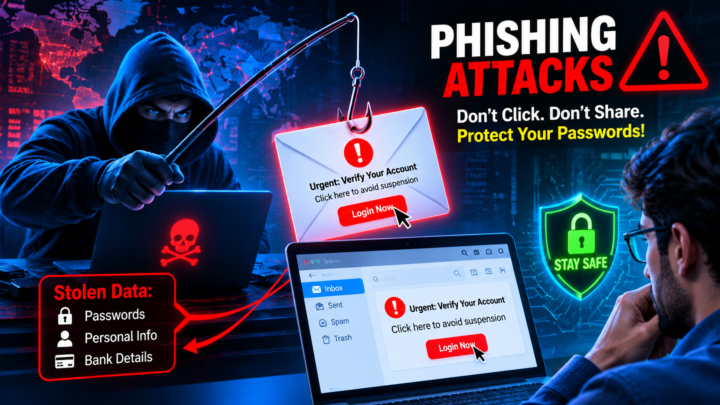
- Phishing proxies (adversary-in-the-middle): fake login pages that pass your password and one-time code to the real site in real time and steal your session cookie. Learn the warning signs in our guide to phishing attacks.
- MFA fatigue (push bombing): sending dozens of approval requests until a tired user taps “Approve”.
- SIM swapping: convincing a mobile carrier to move your phone number to the attacker’s SIM card to receive your SMS codes.
- Help desk social engineering: calling IT support pretending to be an employee and asking them to reset MFA.
- Session token theft: infostealer malware grabs browser cookies after you sign in, letting attackers skip login entirely.
The best defence is to use phishing-resistant methods such as passkeys and security keys, enable number matching for push prompts, protect devices from malware and train help desk staff to verify identities carefully.
Benefits of Multi-Factor Authentication
- Stops most account takeovers: stolen or guessed passwords are no longer enough.
- Protects against data breaches: attackers find it much harder to access email, files and systems.
- Supports compliance: many regulations and standards expect strong authentication, including PCI DSS for payments. Learn more in our guide to GDPR compliance.
- Required by cyber insurers: most cyber insurance policies now require MFA for email, remote access and admin accounts.
- Enables safe remote work: employees can securely access cloud services from anywhere.
Multi-Factor Authentication and Ransomware
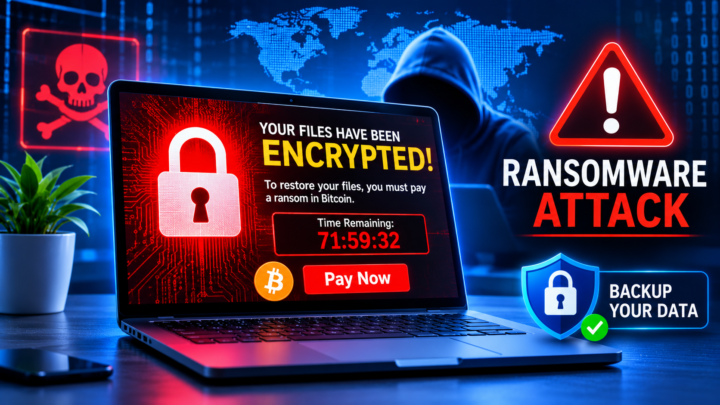
Many ransomware gangs get into companies using stolen passwords for email, VPNs or remote desktop services. Once inside, they steal more credentials and move through the network. Enforcing multi-factor authentication on remote access and administrator accounts is one of the most effective ways to block these attacks early. Read our full guide to ransomware attacks for more prevention steps.
How to Choose an Authenticator App
If passkeys are not yet available for an account, an authenticator app is the next best choice for multi-factor authentication. Popular free options include Google Authenticator, Microsoft Authenticator, Authy and the built-in authenticators in password managers such as 1Password, Bitwarden and Apple Passwords. When choosing one, consider:
- Backup and sync: can you restore your codes if you lose or replace your phone? Encrypted cloud backup saves a lot of stress.
- App lock: the app should be protected with your fingerprint, face or a PIN.
- Push approvals with number matching: some apps show a number on the login screen that you must type or select on your phone, which defeats push bombing.
- Cross-device support: useful if you work across a phone, tablet and computer.
- Reputation: download only from official app stores and well-known developers, because fake authenticator apps do exist.
Whichever app you pick, set it up on more than one device or keep backup codes, so you are never locked out of your own accounts.
How to Set Up Multi-Factor Authentication on Your Accounts
Most popular services make it easy. Look in the account’s Security or Sign-in settings for options called “2-Step Verification”, “Two-factor authentication” or “Passkeys”.
- Start with your email: your inbox can reset almost every other password, so protect it first.
- Choose the strongest option available: passkey or security key first, then an authenticator app, then push notifications, and SMS only as a last resort.
- Save backup codes: store recovery codes in a password manager or a safe offline place in case you lose your phone.
- Add a second method: register a backup phone or second security key.
- Move on to other accounts: banking, cloud storage, social media, shopping, domain registrar and website hosting accounts.
✅ Website owners: enable MFA on your WordPress admin, hosting control panel, domain registrar and ad network accounts. A hacked admin account can destroy a website and its earnings overnight.
Multi-Factor Authentication for WordPress and Website Owners
Websites are common targets because a hacked admin account can be used to inject spam links, redirect visitors to scam pages or steal ad earnings. Protecting the people who manage the site is just as important as protecting the server. Practical steps include:
- Enable two-factor login for every WordPress administrator and editor using a trusted security or two-factor plugin.
- Turn on MFA in your hosting control panel and domain registrar, since these control the whole site and its DNS.
- Protect related accounts such as Google Search Console, analytics, CDN and ad network dashboards.
- Remove old admin users and give each person their own account instead of sharing one login.
- Combine MFA with login attempt limits, regular updates and off-site backups.
Multi-factor authentication and these simple habits take less than an hour to set up, yet they close the most common route attackers use to take over websites.
Multi-Factor Authentication for Businesses: 7 Essential Steps
- Enforce MFA for everyone: make it mandatory, not optional, for all staff.
- Prioritise high-risk accounts: administrators, finance teams, executives and IT support first.
- Use a central identity provider: single sign-on (SSO) services such as Microsoft Entra ID, Okta or Google Workspace apply MFA across many apps at once.
- Roll out phishing-resistant methods: issue security keys or passkeys to privileged users and gradually to everyone.
- Remove legacy authentication: old protocols that do not support MFA create easy back doors.
- Use conditional access: require stronger checks for risky sign-ins, new devices or unusual locations.
- Secure account recovery: make sure help desk resets require strong identity verification.
Large technology firms are pushing hard in this direction. Microsoft has made MFA mandatory for Azure sign-ins, and Google requires 2-Step Verification for many accounts. Security vendors such as CrowdStrike also offer identity protection tools that detect suspicious logins.
Common Myths About Multi-Factor Authentication
- “MFA is too complicated.” Modern methods like push prompts and passkeys take only a second, and trusted devices reduce how often you are asked.
- “I’m not important enough to be hacked.” Most password attacks are automated and target everyone.
- “SMS is just as good as anything else.” SMS is better than no MFA, but app-based, passkey and hardware options are far stronger.
- “MFA makes me 100% safe.” It blocks most attacks, but you still need strong passwords, updates and careful clicking.
The Future: Passwordless Authentication
The technology industry is moving toward a passwordless future. Passkeys, device-bound biometrics and continuous risk checks are replacing passwords altogether. As AI makes phishing emails and voice scams more convincing — see our guide to generative AI — phishing-resistant authentication will become even more important. In the coming years, signing in with a fingerprint or face on a trusted device is likely to become the normal way to access most services.
Multi-Factor Authentication FAQs
What is multi-factor authentication in simple words?
It is a login method that asks for two or more different types of proof, such as a password plus a code on your phone, so a stolen password alone cannot unlock your account.
Is MFA the same as 2FA?
Two-factor authentication is a type of MFA that uses exactly two factors. MFA is the broader term and can use two or more.
Which MFA method is the most secure?
Passkeys and FIDO2 hardware security keys are the most secure because they resist phishing. Authenticator apps come next, while SMS codes are the weakest option.
Can multi-factor authentication be hacked?
Yes, weaker methods can be bypassed through phishing proxies, push bombing or SIM swaps. Phishing-resistant methods such as passkeys make these attacks extremely difficult.
What happens if I lose my phone?
Use the backup codes you saved during setup, a second registered device or the service’s account recovery process. This is why setting up backup methods is important.
Is SMS-based MFA still worth using?
Yes, if nothing better is available. It still blocks most automated attacks, but switch to an authenticator app or passkey when you can.
Do small businesses need MFA?
Absolutely. Small businesses are frequent targets because attackers expect weaker defences. MFA is one of the cheapest and most effective security controls available.
Does MFA protect against ransomware?
It helps significantly by blocking attackers who use stolen passwords to access email, VPNs and remote desktop services — common entry points for ransomware.
Conclusion
Multi-factor authentication is one of the easiest security upgrades anyone can make, yet it blocks the vast majority of account takeover attempts. Start with your email, then protect banking, cloud storage, website and work accounts. Choose passkeys or security keys where possible, keep backup codes safe and stay alert to tricks like push bombing and fake login pages. A few minutes of setup today can save you from losing your accounts, money and data tomorrow.
🛡️ Stay protected: Explore more practical guides in our Cyber Security section.
Sources: Microsoft Research, “How effective is multifactor authentication at deterring cyberattacks?”; Microsoft Digital Defense Report 2025; Verizon 2026 Data Breach Investigations Report; CISA guidance on phishing-resistant MFA. This article is for general information only.